
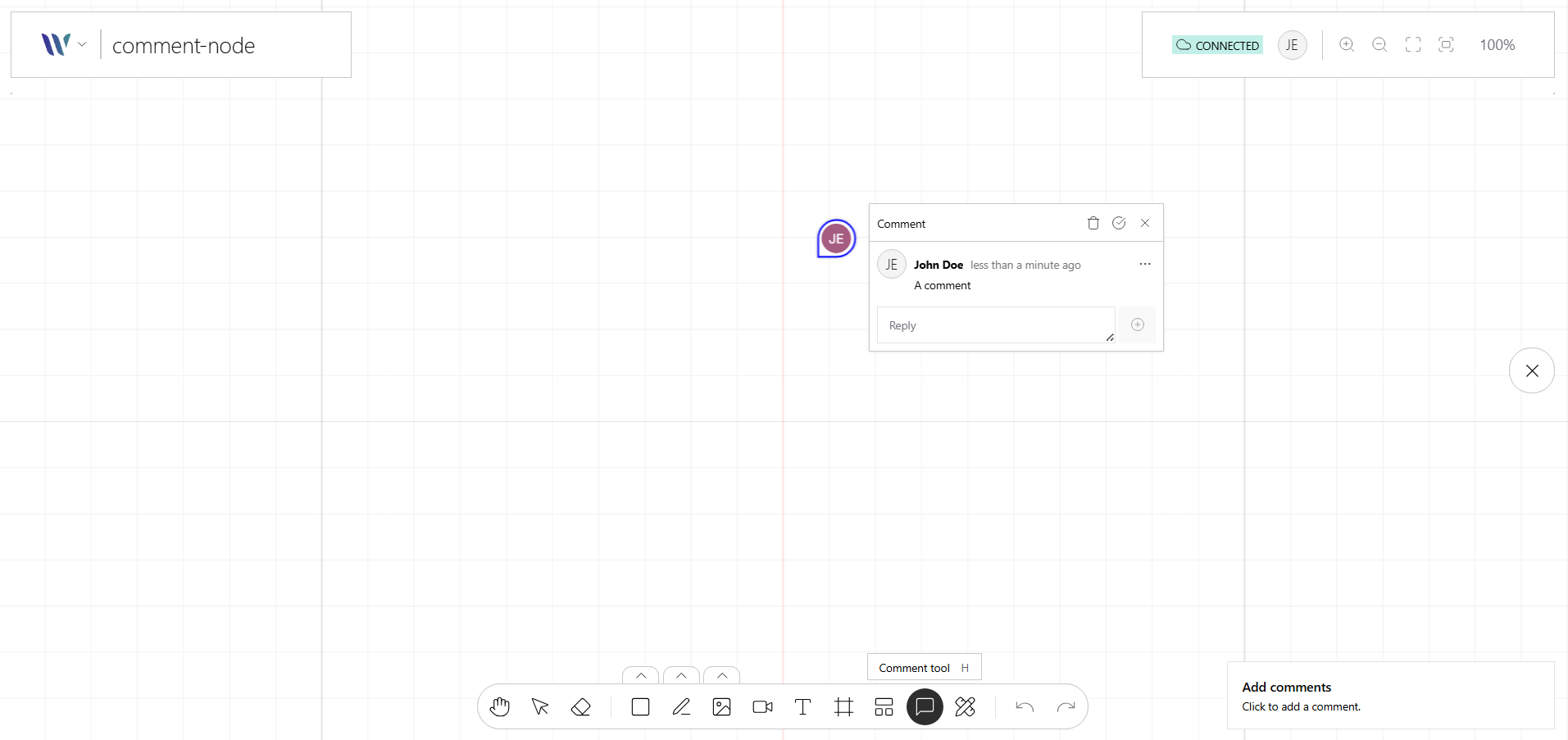
The Comment node is a simple, versatile shape used to point to where an user added a comment to share with other peers, this node renders a shape that resembles an arrow pointing to some content on the stage.
When clicked, a function is called in order to render an overlay with the comment information over a DOM node, on it anyone can deploy an UI / UX to:
-
Edit the comment content.
-
Render the comment replies.
-
Create a new reply.
-
Edit a reply.
-
Mark the comment as resolved.
-
Delete the comment
|
Not shareable thought the room state
This node is intended and designed to be used standalone, it doesn’t support to be shared via the room state mechanism. |
Usage
Import the Node
Start by importing the node:
import { WeaveCommentNode } from "@inditextech/weave-sdk";Register the Node
Then register the node on the Weave class instance.
const instance = new Weave({
  ...
  nodes: [
    ...,
    new WeaveCommentNode({ (1)
      config: { (2)
        model, // here you define some utils to work with your Entity model (3)
        formatDate, // define how to format the dates rendered by Weave.js (4)
        createComment, // a callback that is called when you need to render the create comment UI (5)
        viewComment, // a callback that is called when you need to render the view comment UI (6)
      } (7)
    }), (8)
  ]
})| 1 | Added in this step. |
| 2 | Added in this step. |
| 3 | Added in this step. |
| 4 | Added in this step. |
| 5 | Added in this step. |
| 6 | Added in this step. |
| 7 | Added in this step. |
| 8 | Added in this step. |
UI configuration
|
Check the Comment Node API to know how it can be customized. Use the node
Once the node is registered you can use
While the Comment nodes are rendered with the Comments Renderer plugin, interaction with the node is handled here, so if you want to for example view the comment details, when the Comment node is clicked a callback function is called, so you can render your Comment UI in order to handle that comment. |