
InditexTech Karate Tools

Step by Step

Introduction

This section provides a step-by-step guide to contributing to the Karate Tools.

It is intended to help you get started with the project and to provide you with a clear path to follow as you work on your contribution.

karatetools-oss

Identify

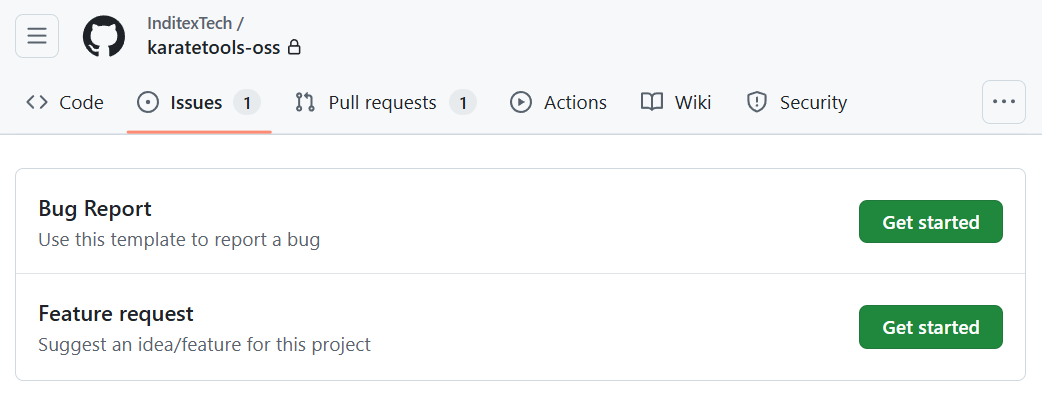
  1. Create a Feature Request or Bug Report Issue in GitHub using the repository templates.

    The issues are labeled according to their type:

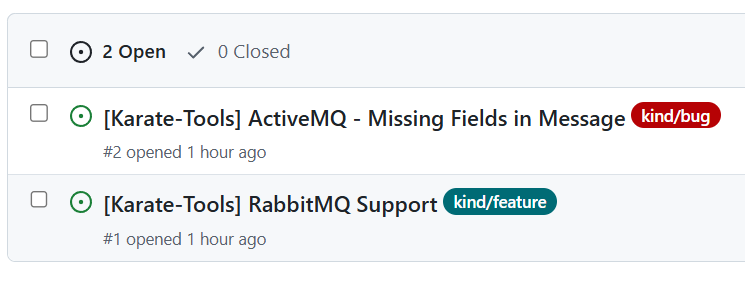
    • kind/feature: a need to be covered, new functionalities or requests for specific features

    • kind/bug: functional or technical incident in the karate tools

    For example:

    • [Karate-Tools] RabbitMQ Support

    • [Karate-Tools] ActiveMQ - Missing Fields in Message

steps kt oss github issue types
steps kt oss github issue examples
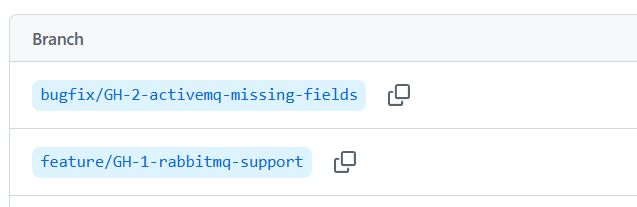
  1. Create a new branch from the develop branch for the new feature or bug fix with the following naming convention: <feature or bugfix>/GH-XXX-short-description.

    For example:

    • feature/GH-1-rabbitmq-support

    • bugfix/GH-2-activemq-missing-fields

steps kt oss github branches

Implement

  1. Implement the corresponding code changes.

    For example:

    1. karatetools-oss-clients

      • Add the RabbitMQClientFactory class.

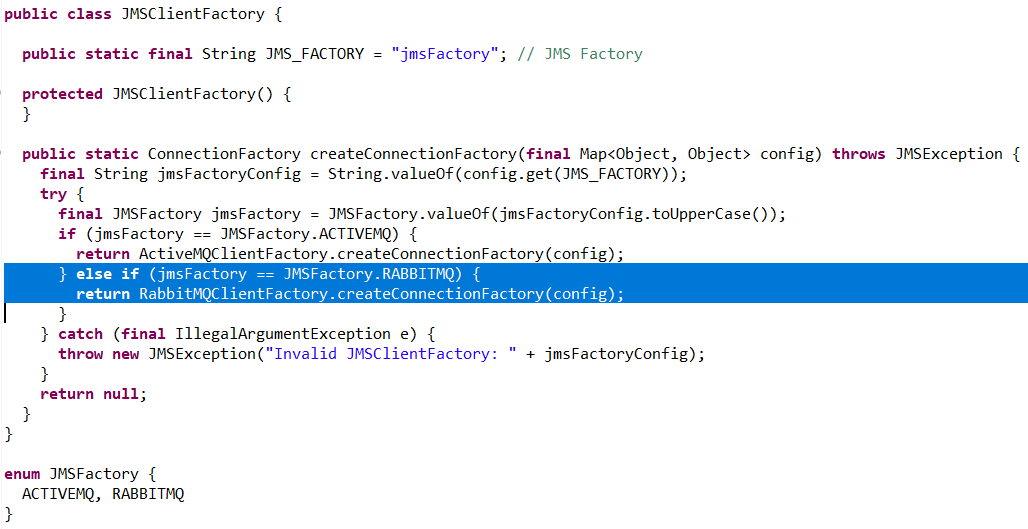
      • Add the instantiation of the RabbitMQClientFactory class to the JMSClientFactory.

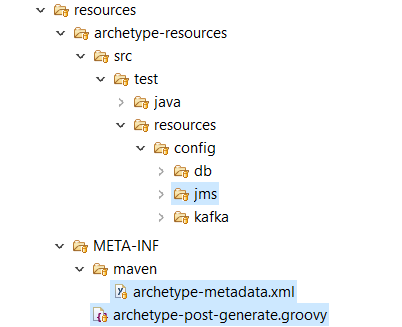
    2. karatetools-oss-archetype

      • Add the client property (includeJMSClient_RabbitMQ) in archetype-metadata.xml file.

      • Add the configuration template for the rabbitmq client in the archetype-resources folder.

      • Add the generation logic in the archetype-post-generate.groovy file.

    3. …​

steps kt oss new jms client factory
steps kt oss new jms client config

Test

Unit

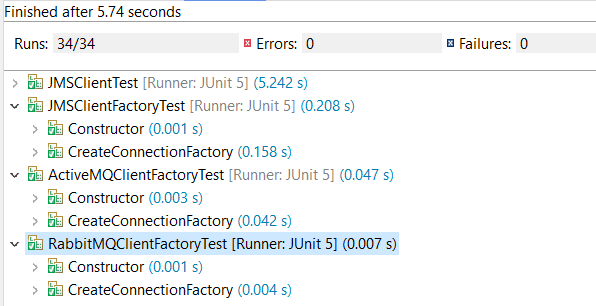
  1. Implement unit tests to verify the corresponding codebase.

    For example:

    1. karatetools-oss-clients

      • Add the unit tests for the affected classes.

      • Execute the unit tests to ensure that code works as expected

      • Verify the corresponding code is properly covered by those tests (JaCoCo coverage >= 90%).

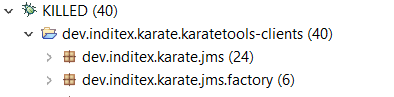
      • Execute the mutation tests to ensure that the unit tests are robust enough (mutation coverage >= 90%).

    2. karatetools-oss-archetype

      • Add the archetype project test(s) for the new client.

      • Execute the archetype tests to ensure that the affected template configurations are properly generated.

      • This type of tests do not generate coverage nor require mutation tests.

    3. …​

steps kt oss new jms client ide unit tests
steps kt oss new jms client ide coverage
steps kt oss new jms client ide mutation
steps kt oss new jms client ide mutation report
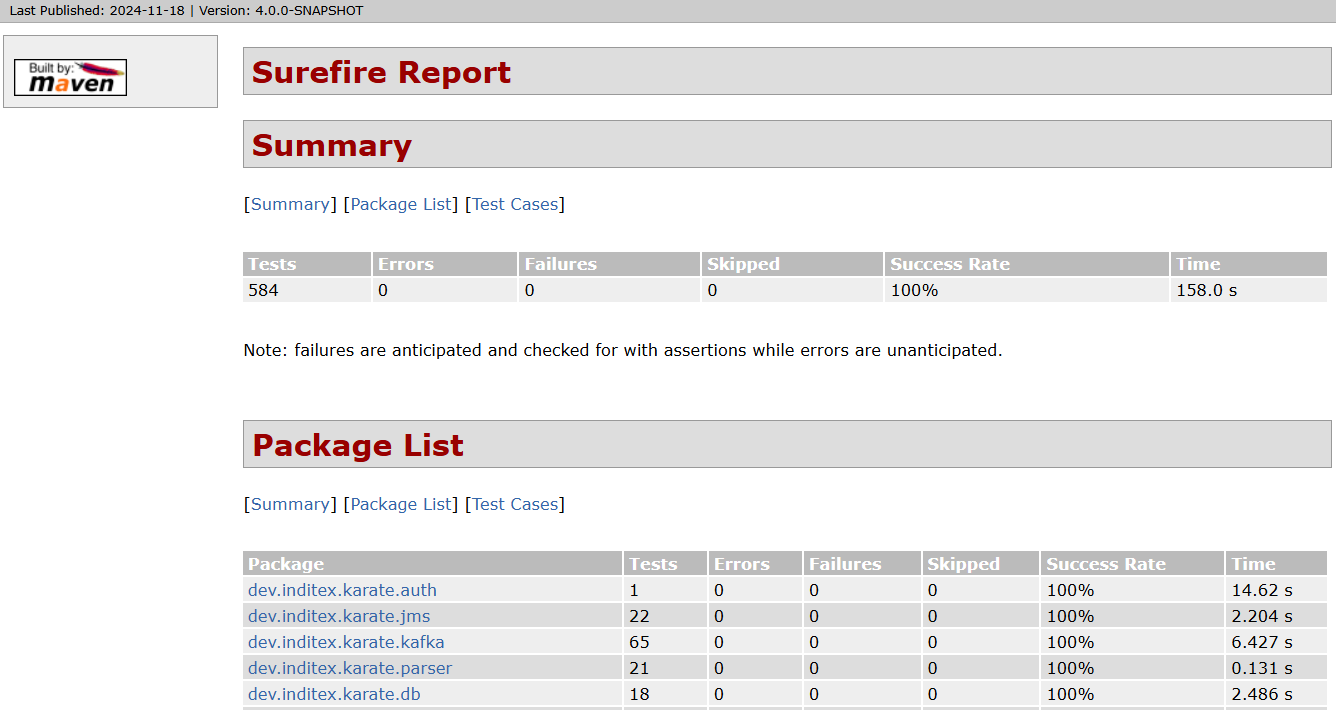
  1. Execute all the codebase unit tests in the new branch using the maven command:

    • mvn clean verify -DskipITs -DfailIfNoTests=false -Dmaven.test.failure.ignore=false

    • mvn surefire-report:report-only -DalwaysGenerateSurefireReport=true

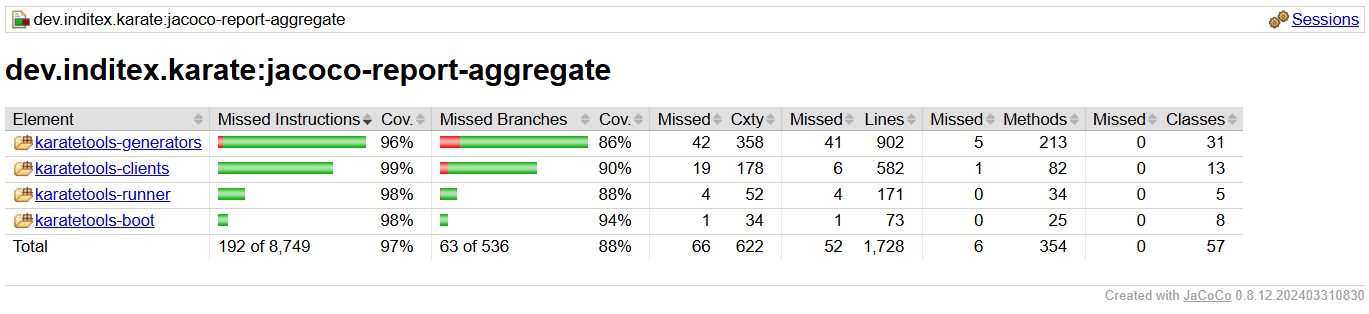
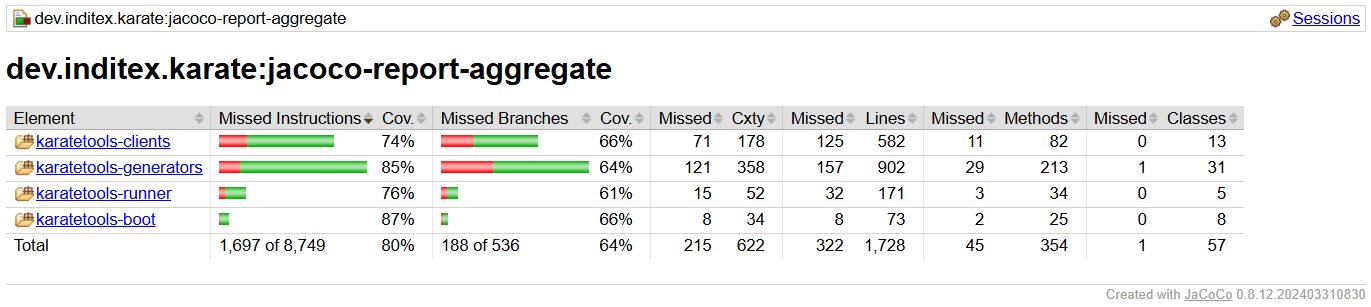
    • Verify all tests pass (code/target/site/surefire-report.html) and the code coverage generated by unit tests (code/jacoco-report-aggregate/target/site/jacoco-aggregate/index.html) is at least 90%.

steps kt oss unit surefire report
steps kt oss unit jacoco report

Mutation

  1. Execute all the codebase mutation tests in the new branch using the maven command:

    • mvn clean verify pitest:mutationCoverage pitest:report-aggregate-module -DskipITs

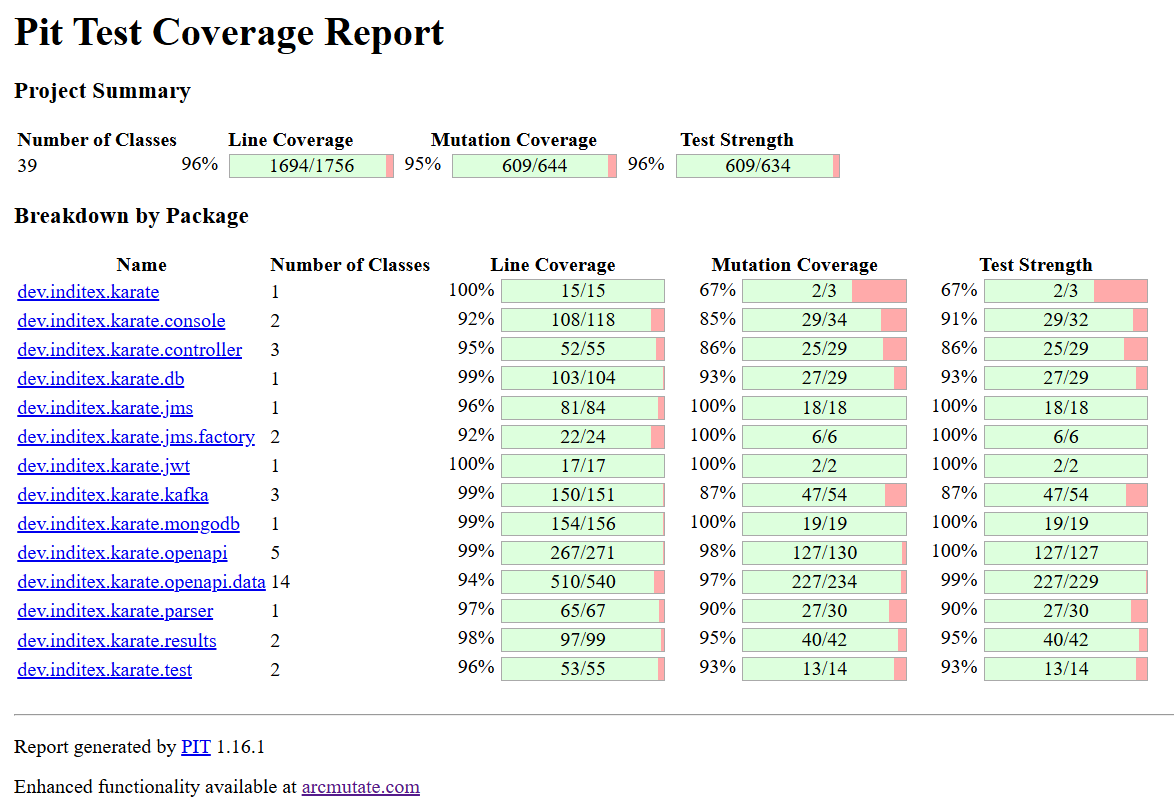
    • Verify all tests pass and the mutation coverage generated by mutation tests (code/target/pit-reports/index.html) is at least 90%.

steps kt oss mutation report

Integration

  1. Implement integration tests to verify the corresponding codebase.

    For example:

    1. karatetools-oss-boot

      • Add the rabbitmq docker image in the docker-compose.yml test file.

      • Update the DockerHealthControllerIT test to include the rabbitmq expected service.

      • Add the integration tests for the affected classes.

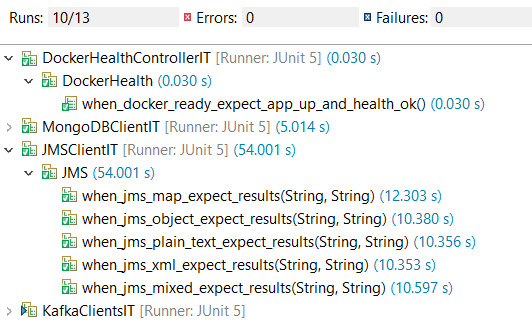
      • Execute the integration tests to ensure that the code works as expected when integrated with the new docker service.

    2. …​

steps kt oss new jms client ide integration tests
  1. Execute all the codebase integration tests in the new branch using the maven command:

    • mvn clean verify -DskipUTs -DfailIfNoTests=false -Dmaven.test.failure.ignore=false

    • mvn surefire-report:failsafe-report-only -DalwaysGenerateSurefireReport=true

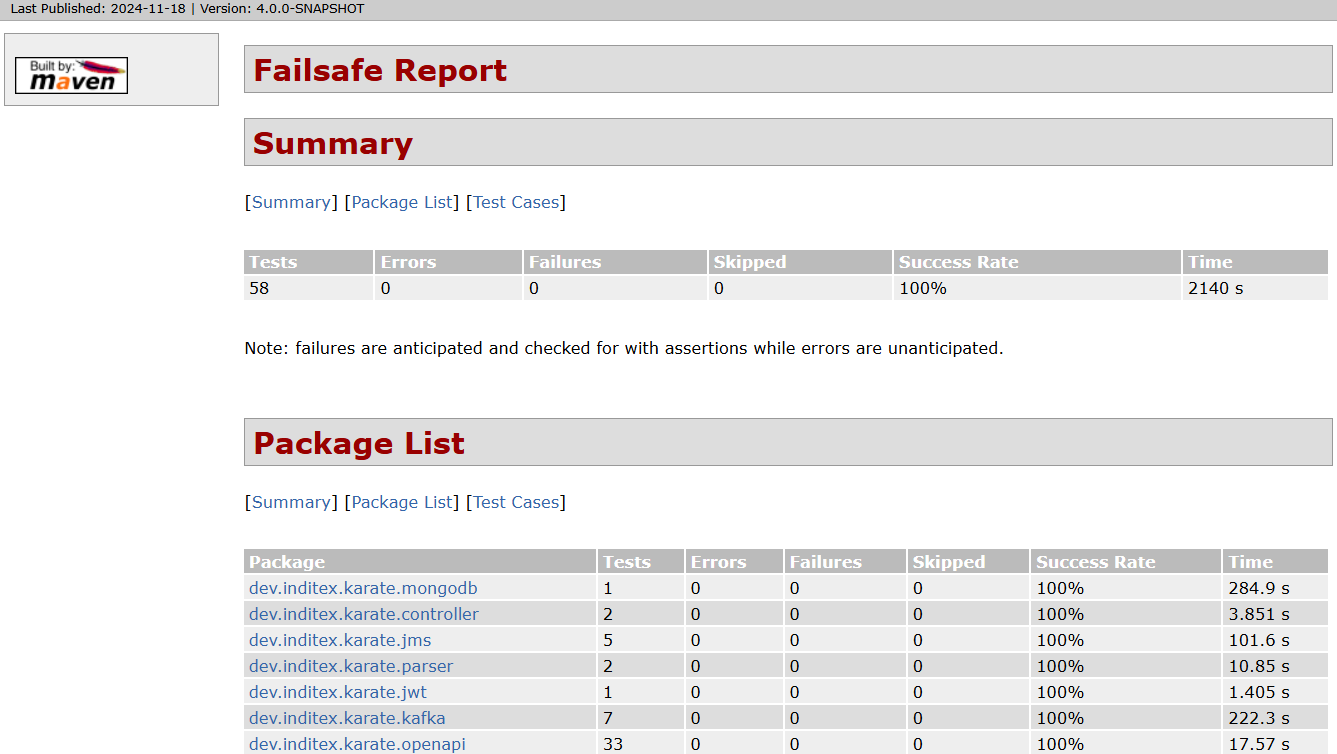
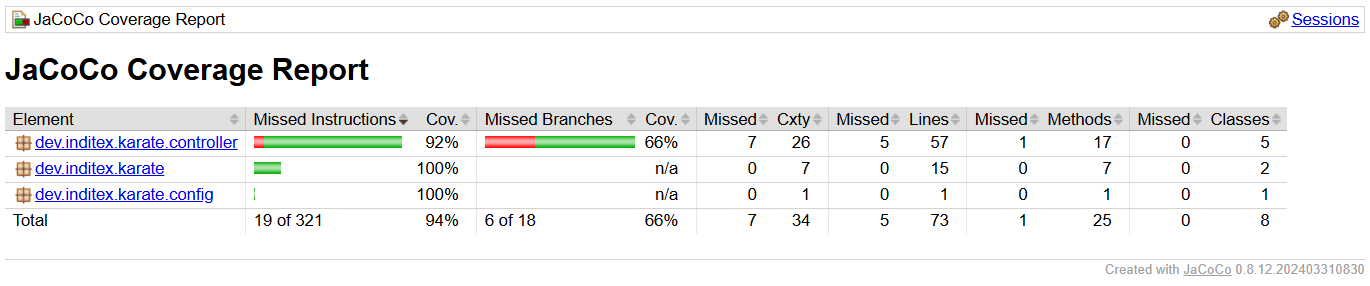
    • Verify all tests pass (code/target/site/failsafe-report.html) and the code coverage generated by integration tests (code/jacoco-report-aggregate/target/site/jacoco-aggregate-it/index.html) is at least 80%.

steps kt oss integration failsafe report
steps kt oss integration jacoco report

Karate

  1. Implement karate tests to verify the corresponding codebase.

    For example:

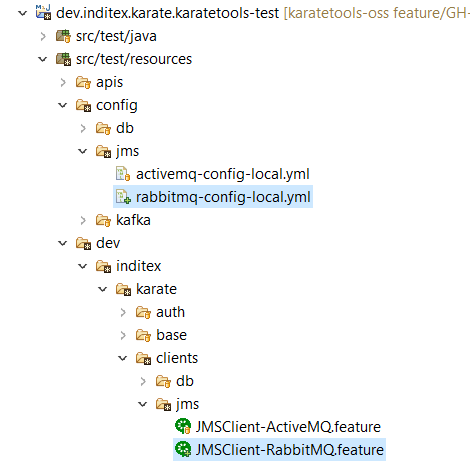
    1. karatetools-oss-karate-test

      • Add the karate tests for the affected classes (config and feature files).

      • Execute the karate tests to ensure that the code works as expected as part of a karate module.

    2. …​

steps kt oss new jms client ide karate tests
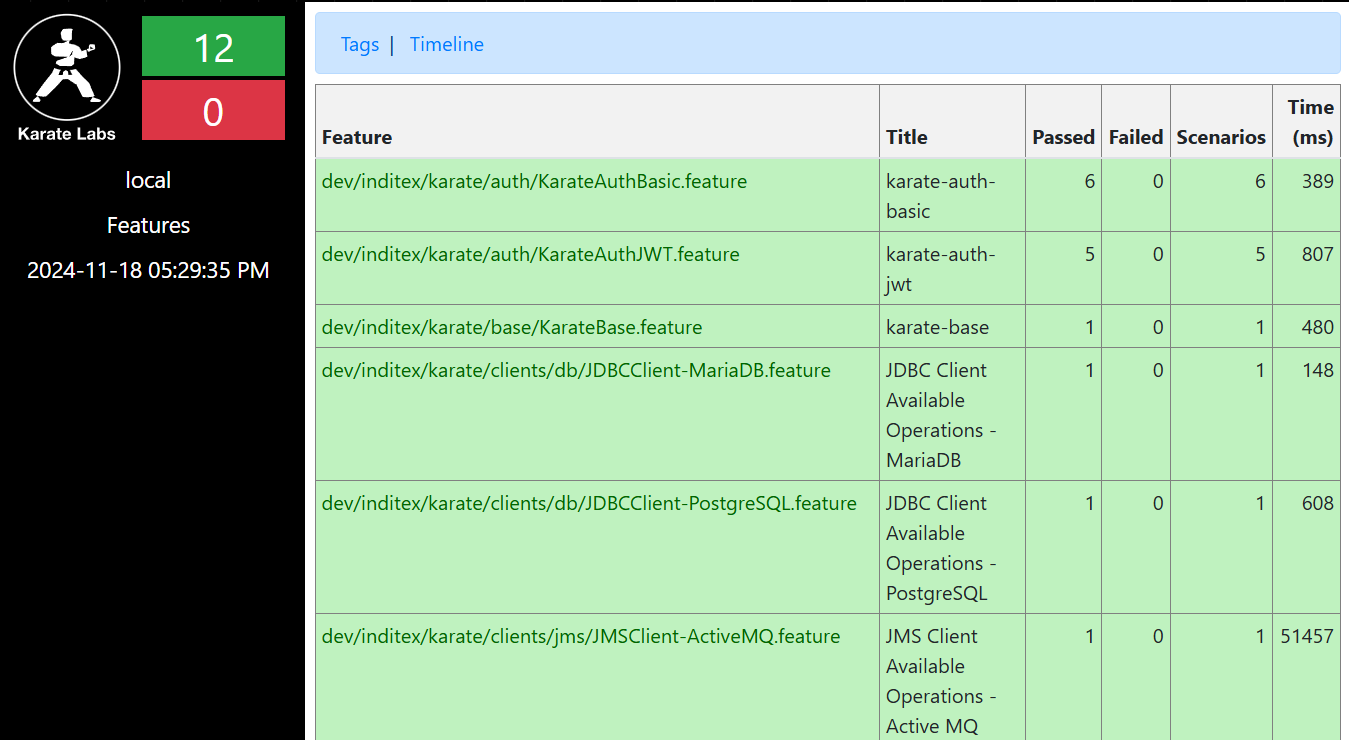
  1. Execute all the codebase karate tests in the new branch following the steps defined in

steps kt oss karate karate report
steps kt oss karate jacoco report

Document

  1. Implement the corresponding documentation.

    For example:

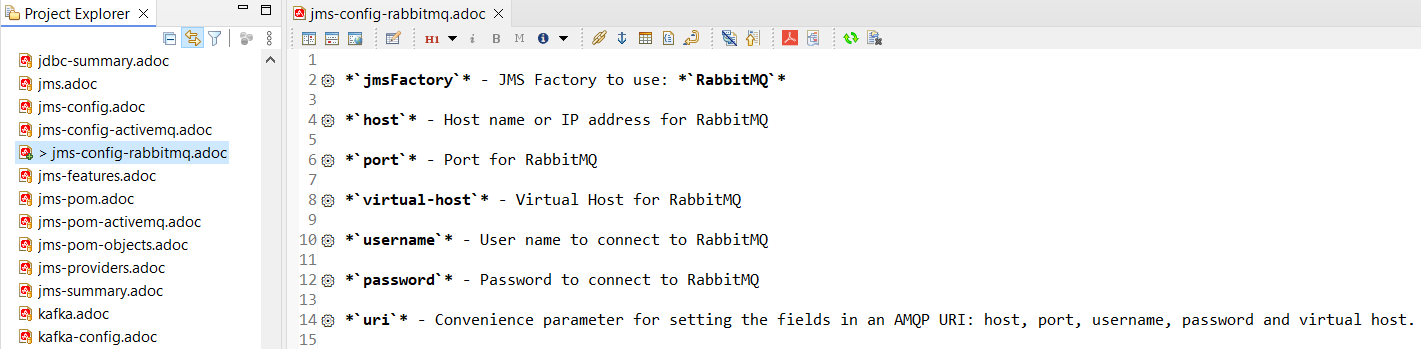
    1. jms-providers.adoc: Add the new Rabbit MQ client to the list of supported JMS providers.

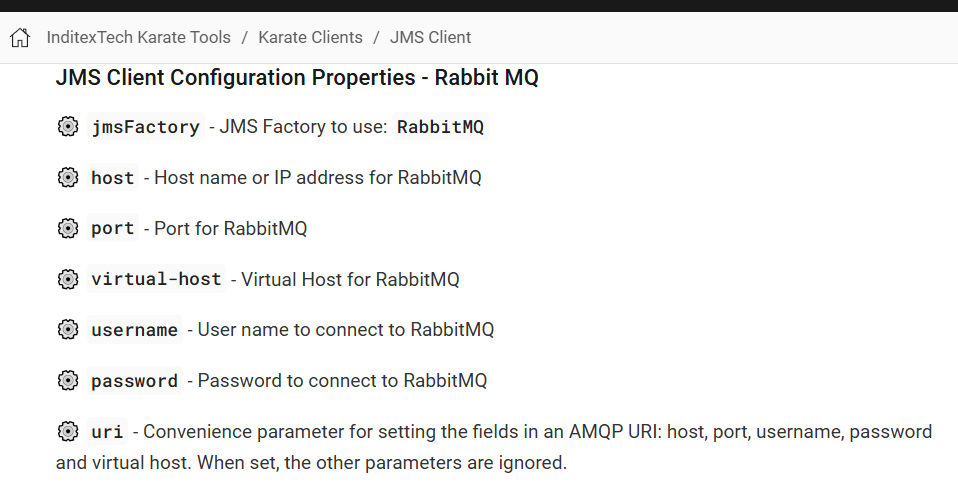
    2. jms-config-rabbbitmq.adoc: Document the configuration properties for the Rabbit MQ client.

    3. …​

steps kt oss new jms client documentation
  1. Launch the documentation locally to ensure that the documentation is properly generated following the steps defined in:

steps kt oss new jms client documentation local

Commit

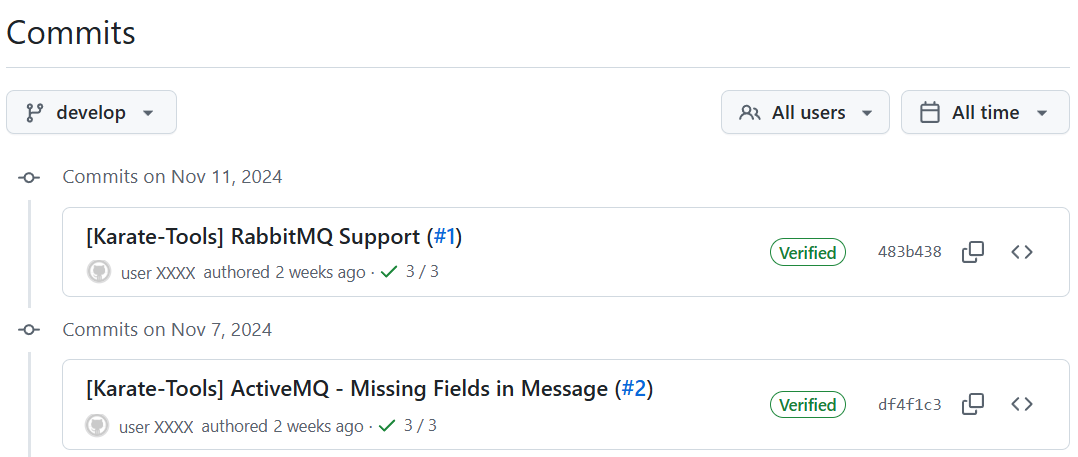
  1. Make clear and descriptive commits that explain the changes implemented in the new branch and push them to the repository.

steps kt oss github commit
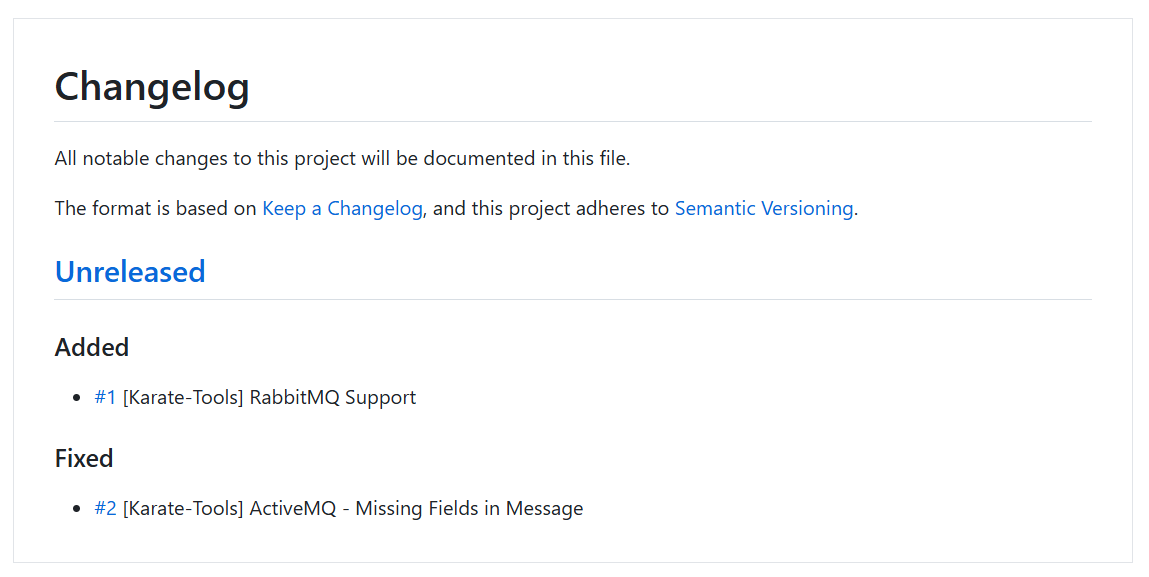
  1. Make sure the change is reflected in the Unreleased section of the code/CHANGELOG.md file, categorized according to the type of change implemented.

    • Added for new features.

    • Changed for changes in existing functionality.

    • Deprecated for soon-to-be removed features.

    • Removed for now removed features.

    • Fixed for any bug fixes.

    • Security in case of vulnerabilities.

      For example:

      ## [Unreleased]
      
      ### Added
      
      - [#XXX](https://github.com/InditexTech/karatetools-oss/issues/XXX) To be completed
      
      ### Fixed
      
      - [#YYY](https://github.com/InditexTech/karatetools-oss/issues/YYY) To be completed
steps kt oss github changelog

Pull Request

  1. Create a Pull Request from the new branch to the develop branch.

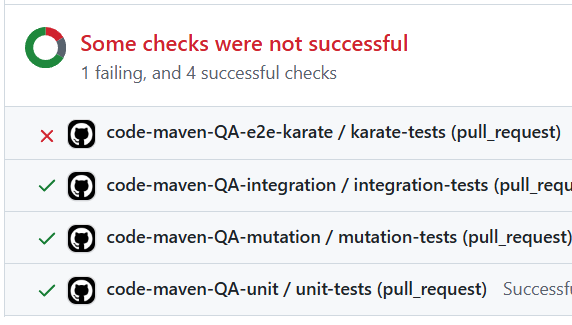
    • unit, mutation, integration and karate tests will be executed automatically.

    • The Pull Request will be blocked if any of the tests fail or the coverage is below the defined thresholds.

  2. Await comments and discussions on the pull request. Make any necessary modifications based on the received feedback

  3. Once the pull request is approved, the contribution will be merged into the develop branch.

    • The merge strategy to use is Squash and merge

steps kt oss github pull request checks blocked

Release

  1. Create the release pull request

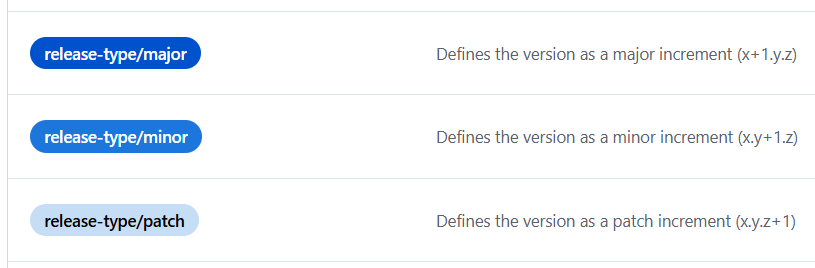
    1. Once all issues are addressed and merged into develop, create a pull request from develop branch to main using corresponding label:

      • release-type/major: Defines the version as a major increment (x+1.y.z).

      • release-type/minor: Defines the version as a minor increment (x.y+1.z).

      • release-type/patch: Defines the version as a patch increment (x.y.z+1).

    2. To release the documentation, the release-docs label must be added to the pull request.

      • if the documentation release overrides an existing version the release-docs/force label must be added to the pull request.

steps kt oss github release pull request
steps kt oss github release labels
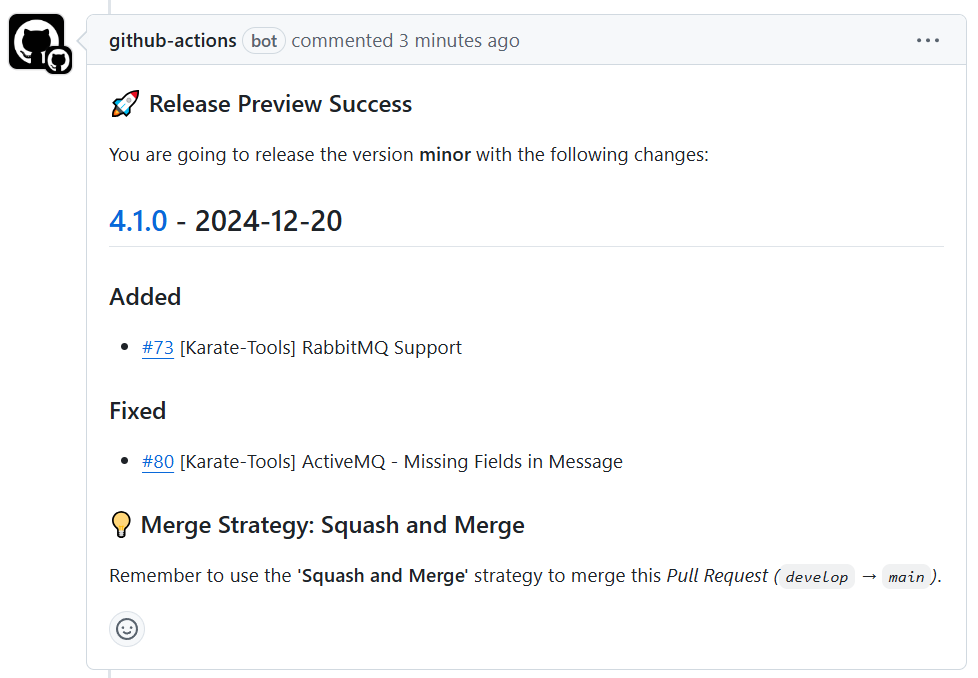
  1. Wait for the release preview to finish

    • The preview contains the proposed version number and the list of changes to include in the CHANGELOG.

    • If the CHANGELOG is not updated, the release preview will fail.

steps kt oss github release preview
  1. Merge the release pull request

    • If the release preview is correct, you can merge the pull request.

      • The merge strategy to use is Create a merge commit

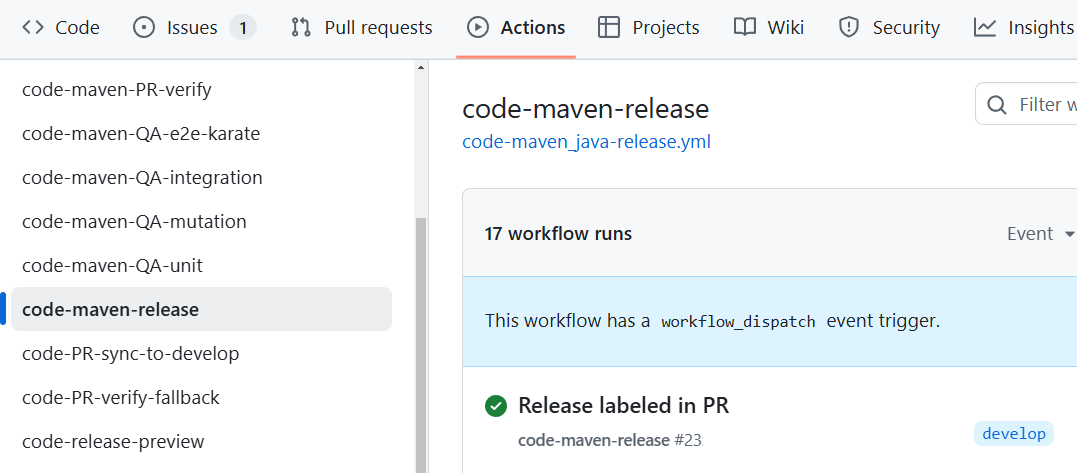
    • The merge will trigger the release workflow.

steps kt oss github release workflow
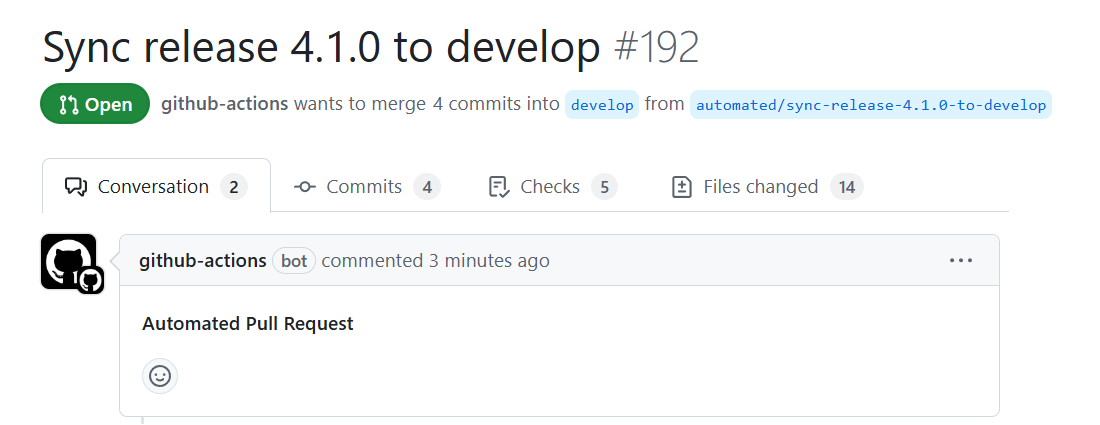
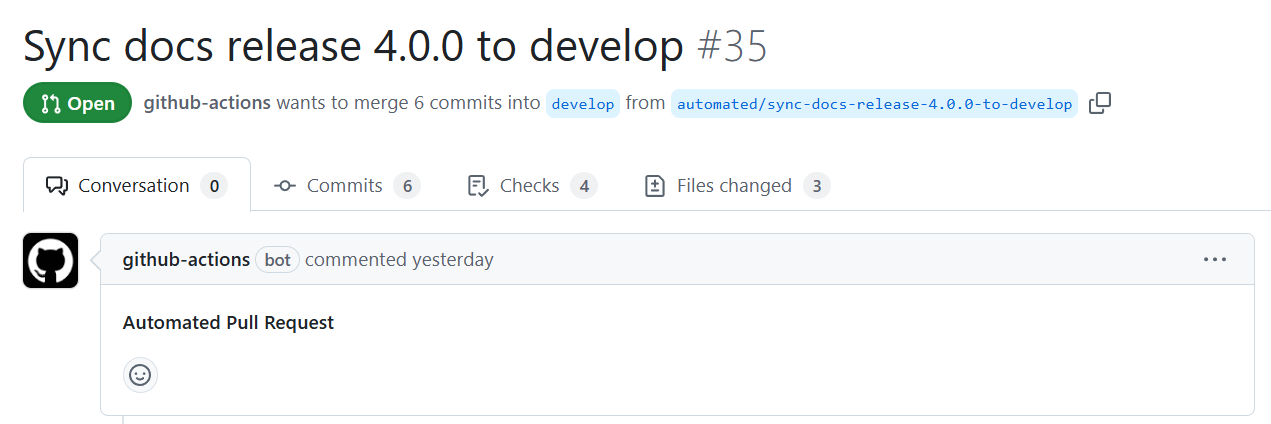
  1. Merge the sync pull request(s)

    • The merge strategy to use is Create a merge commit

    • Release changes and preparation for the next iteration are now coming to develop in a sync pull request (Sync release X.X.X to develop)

    • Documentation changes (if any) and preparation for the next iteration are now coming to develop in a sync pull request (Sync docs release X.X.X to develop)

steps kt oss github sync pull request
steps kt oss github sync docs pull request